 Documentation
Triage
Review the evidence map of prioritized signals, correlated issues, and exact packet matches.
The Triage tab presents the evidence map produced by PacketSafari Triage. It organizes deterministic capture observations and correlated problem candidates without presenting every rule match as a confirmed cause.
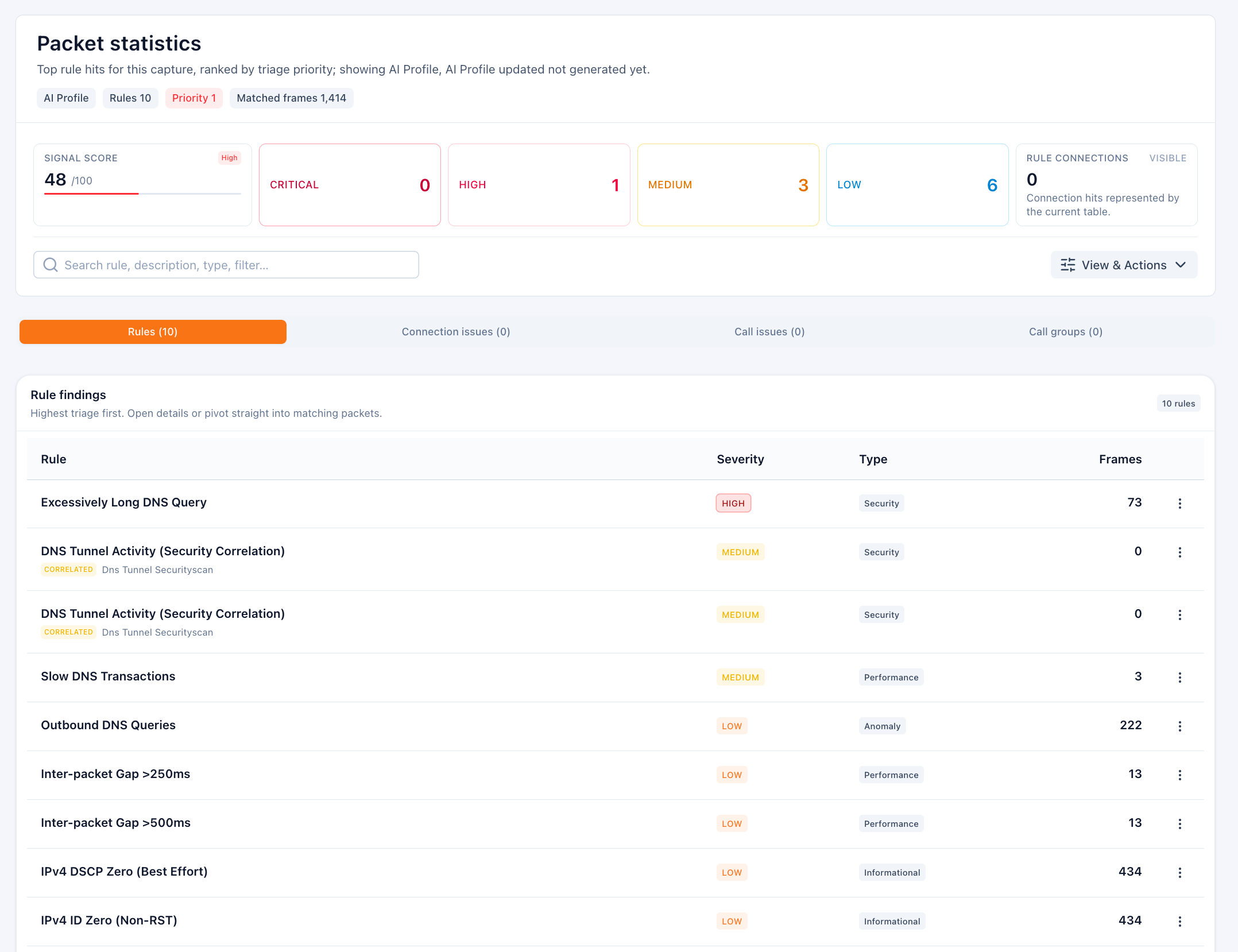
What you can inspect
- Signals: direct or correlated observations ranked by priority, with severity, type, description, and matching packet count.
- Connection issues: a compact capture-wide summary of correlated problem candidates. Use View connections for the affected conversations and detailed evidence.
- Coverage: whether Triage used full or sampled capture scope.
Open a signal to review its context, bounded packet hotspots, display filter, affected connections, and available investigation actions. Use View packets to validate the observation against the capture.
How the terms relate
- Triage is the capture-processing process.
- The evidence map is its reusable combined output.
- A signal is an observation, not automatically a fault or cause.
- An issue is a stronger correlated problem candidate.
- A finding is an interpreted conclusion backed by evidence, such as one presented in an Agent report.
- A match links a signal to supporting packets. One packet can match more than one signal.
Typical workflow
- Open Triage and review the severity counts and coverage badge.
- Search or filter Signals to focus on the relevant protocol or symptom.
- Open a signal to inspect its packet evidence, or use View connections from the issue summary for connection-level investigation.
- Pivot to View packets, Copilot, or Agent when deeper explanation is needed. Review calls and call issues in Telco, while VoIP owns RTP streams and media-quality analysis.
A full scan checks every packet and refreshes the same evidence map. Sampled coverage remains explicitly labelled and should not be presented as authoritative full-capture coverage.