 Documentation
Security
Run Security Triage and review IDS, behavioral, correlated, and indicator findings for a capture.
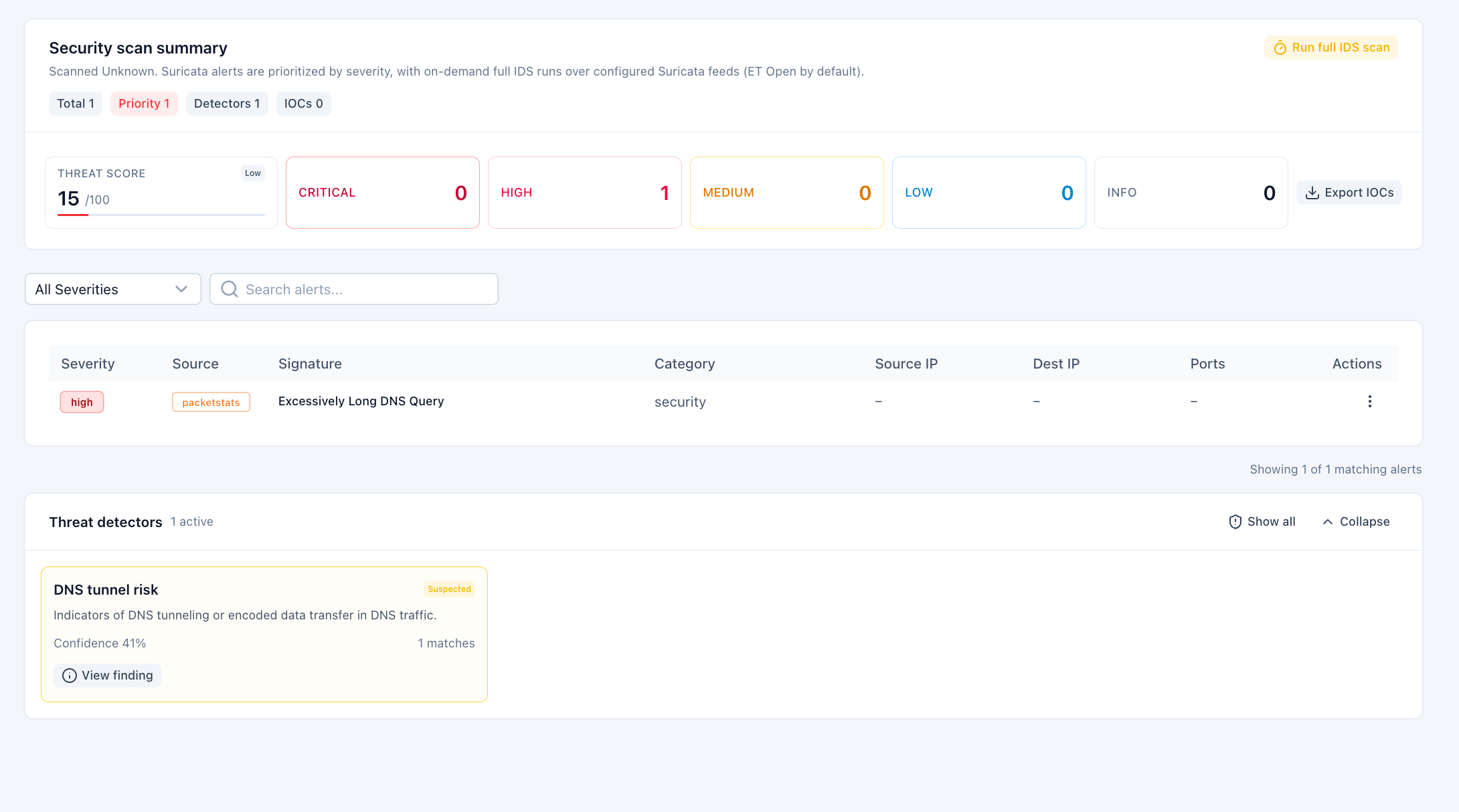
The Security tab is PacketSafari's alert-focused investigation surface for a single capture.
What it shows
- A security scan summary with threat score and detector coverage
- Severity counts for critical, high, medium, low, and informational findings
- Alert lists with pivots into packets or related connections
- Indicator summaries such as IPs, domains, URLs, and hashes when available
What you can do
- Run on-demand Security Triage to rebuild the capture's security evidence map with IDS, behavioral, identity, and protocol-aware checks
- Run the separate full IDS scan when you need deeper signature coverage than the optimized IDS pass used by Security Triage
- Refresh the summary after indexing or scanning finishes
- Filter alerts by severity and inspect alert details
- Pivot from an alert back to packets or into the Connections view
- Export IOC evidence when available
Notes
- Hosted preview tiers can show locked or reduced-detail findings.
- Paid SaaS and on-prem deployments usually expose the full alert detail set, subject to entitlement and deployment policy.
- The security view complements Stats and Connections rather than replacing them.