 Documentation
PacketSafari Features
Core analysis
- Upload
.pcap,.pcapng, and.cap, keep them private, or publish them to the shared library. - Anoncap anonymization workflow for creating separate anonymized capture copies, with a public/basic policy for free SaaS and configurable private privacy classes and identity groups for active premium, Enterprise, admin, and on-prem access. Network-evidence and application-evidence presets make the payload-retention tradeoff explicit, alongside optional packet slicing and adaptive tunnel-aware slicing for IP-in-IP, GRE, ERSPAN, MPLS-over-GRE, QinQ, PPPoE, GTP, GTP-U extension-header traffic, PFCP/GTP mixed captures, L2TP, Geneve, and VXLAN.
- Deep anoncap coverage biased toward telecom and OT-heavy captures, including GSM MAP / TCAP USSD cleanup, S1AP PLMN remapping, PFCP/GTP identity handling, and seed OT identifier support for S7comm module names plus Modbus and MMS protocol-preservation checks.
- Narrow opt-in RTP silence replacement for supported G.711 voice payloads when media scrubbing is required without changing RTP timing/header behavior.
- Progressive ingest lifecycle with open ready, refining, and complete states so packet view can open before every heavy analysis tail finishes.
- Indexed search across capture names, tags, metadata, DNS queries/responses, TLS SNI, and protocol fields.
- Analyzer workspace with packet list, packet hotspots, decode + hex, follow stream, connection inventory and insights, stats, summary, security, DNS/names, TLS, infrastructure, files, OT, telco, VoIP, Wi-Fi, multicast, IO graphs, export objects, and packet editing/slicing.
- Optional endpoint evidence sensor for bounded application and connection inventory, targeted remote capture, decryption preflight, and truthful per-flow receipts. Provider and platform coverage is listed in the endpoint capture and decryption feature map.
- PacketSafari Triage builds right-sized packet evidence for small and huge captures: complete signal coverage below
50 MiB, otherwise upload-time coverage over the first1,000,000frames, with owner/admin full scans available later when every packet needs checking. Large full scans are quota-guarded and can be cancelled at safe checkpoints. - Adaptive materialization for expensive artifacts such as file-object inventory and deeper infrastructure analysis, with persisted reuse instead of recomputing everything on every read.
- Customizable profiles for columns, coloring rules, backend settings, and decode preferences.
- Tags, comments, and roles to organize captures and control access.
- Owner-managed signed viewer links for private captures, so SaaS users with full Agent entitlement, grandfathered paid full-access plans, or on-prem users can generate time-limited read-only share URLs without publishing the capture.
AI assistance
Availability depends on deployment mode, entitlement, and admin policy.
Captures tagged noAI also disable AI-assisted analysis and AI-derived packet insights for that capture, even when the user or deployment would otherwise have AI access.
- Upload Insights. Deterministic first-open evidence and processing status; it does not start a separate background AI summary.
- PacketSafari Copilot. Chat about a capture, ask for summaries, or request filter suggestions while you browse packets.
- PacketSafari Agent. Upload a PCAP and ask AI in one flow, or launch a deeper automated investigation from an existing capture. Choose Fast answer for one bounded Fast Report when the operator provides a concrete question or focused starting point, Full investigation for that early report plus a Triage-backed Final Report when a concrete question is supplied, or Triage then report as the preset-only broad path. In hosted SaaS this depends on your plan; on-prem deployments can expose it through local policy.
Hosted Agent Pro exposes Fast answer, Full investigation, and Triage then report as the customer-facing workflows. A user-initiated full analysis uses one Analysis run only when its workflow completes, regardless of model, depth, or whether the conclusion is inconclusive. Failed or interrupted workflows and automatic retries do not consume a run. Its report milestones, resumes, and normal follow-up questions using the existing result remain included. Copilot submissions and lightweight standalone Agent-tab questions use the shared Quick-questions category, while Prompt Coach requests use their own category. Saved reports and history show workflow, result phase, and model profile separately. Concrete provider model IDs and reasoning settings remain visible only to admins and on-prem operators where they configure the runtime.
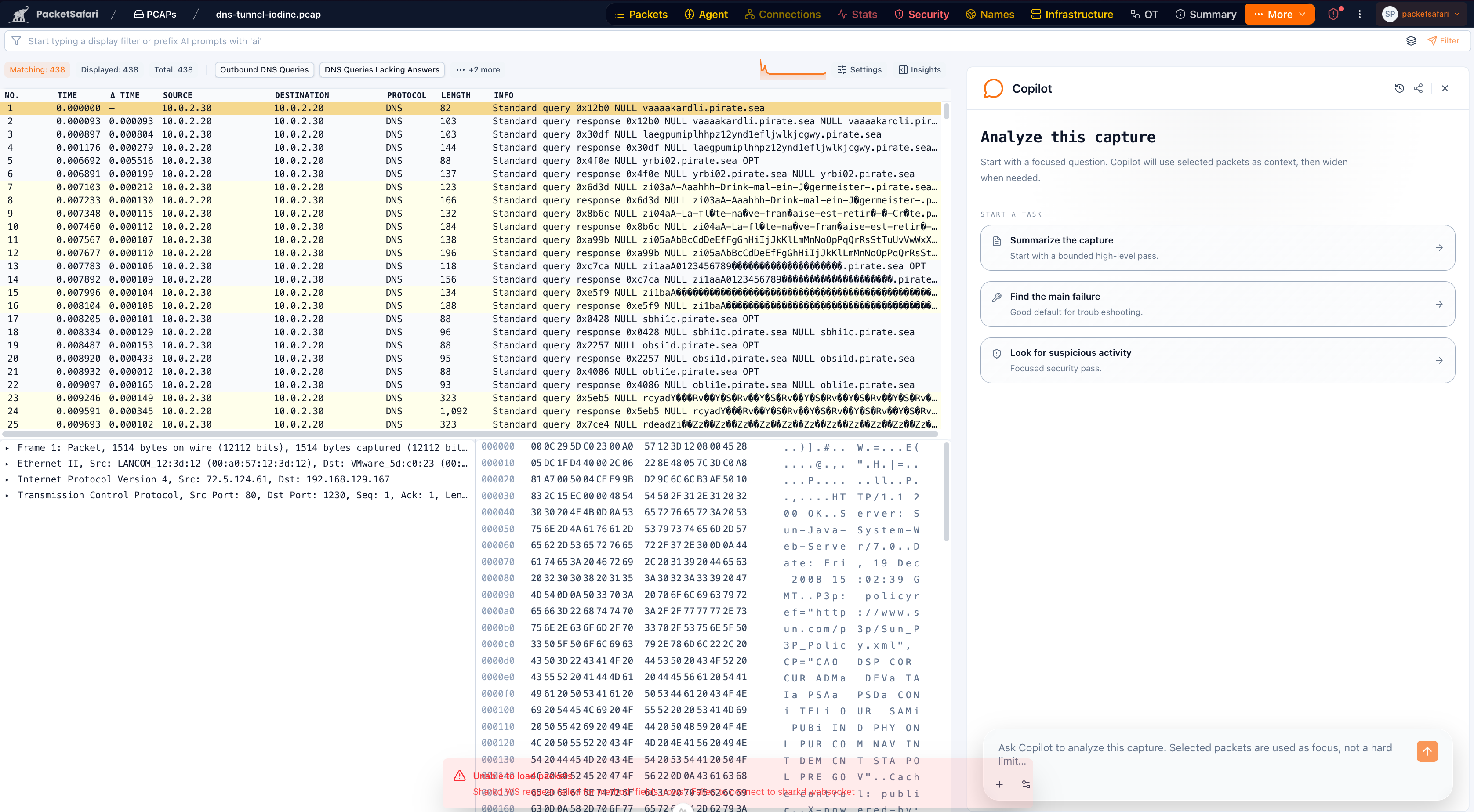
Specialist analysis surfaces
- Security: quick partial IDS screening or complete-capture IDS verification, independently selectable High + Critical or all-severity rules, and per-investigation Emerging Threats Open and Stamus Lateral Movement rule sources. Security Triage also correlates exact packet evidence for periodic and shorter-window behavioral C2, DNS tunneling, proxy/VPN and suspicious opaque channels, aggregate scans/floods, Active Directory attack paths, and security-relevant OT operations. A tunnel or periodic connection is context, not automatically malicious, and incomplete coverage is not presented as a clean result.
- Connections / TCP: correlated connection insights plus on-demand deep TCP diagnosis when a stream needs a more explicit transport-level explanation.
- Packet hotspots: bounded evidence ranges that highlight the packets behind a finding, explain why that range was selected, and provide one-click jumps or Agent handoff from the packet list.
- Infrastructure: inferred host, subnet, and service-role modeling from control-plane and service signals.
- Files / Export objects: persisted extracted-object inventory, certificate inventory, cache-backed object browsing, media/text preview, and per-object downloads when supported by the capture.
- Citrix app delivery: ICA, CGP session reliability, and EDT transport evidence, including bounded loss or stall buckets, path-change indicators, resets/reconnects, and listener-refused setup events.
- TCP setup failures: incomplete-handshake fan-in signals that group repeated setup failures toward one target so listener, load-balancer, or path setup trouble is easier to separate from isolated client noise.
- OT: industrial-protocol semantic mapping for protocols such as GOOSE, Modbus, DNP3, MMS, CIP/EtherNet-IP, and OPC UA.
- Telco / VoIP: signaling and media-focused workflows for SIP, IMS, Diameter, NGAP, GTP, RTP, and related telecom traffic, including localized hotspots for SIP failures, Diameter result-code failures, RTP state anomalies, and core mobility/session churn where the capture has enough evidence.
Runtime and operator visibility
- Active Agent investigations persist as durable capture history. If you leave the page, reload it, or return while work is still running, PacketSafari reattaches to the current investigation and restores its report milestones and transcript instead of starting a duplicate run.
- Saved Agent investigations and Copilot chats can be deleted by the person who started them or by the capture owner. A running investigation must be stopped before it can be deleted; capture sharing roles do not grant this cleanup permission by themselves.
- Ingestion performance cards and timeline to show what finished, what is refining, and what follow-up work is queued.
- Upload insights for live capture progress, derived-unit status, queued follow-up work, and cooperative cancellation on eligible heavy follow-up scans.
- Deferred upload Agent report email status, so a report request can show whether delivery is waiting for the saved report, queueing, queued, sending, sent, failed, or skipped.
- Admin Activity dashboard for recent uploads, AI ledger activity, Agent reports and threads, anoncap/background jobs, and security audit events in one operator view.
- Admin infrastructure views for ingest stages, derived-unit registry state, dependency edges, and adaptive materialization policy.
- Admin Intelligence Feeds controls for independently enabling and refreshing managed Suricata sources. PacketSafari local rules and the reviewed ET Open baseline are included. Abuse.ch SSLBL/URLhaus and Stamus Lateral Movement are vendor-direct, operator-enabled sources whose provider terms still apply.
- On-prem runtime policy controls for sign-in methods, upload entry points, AI authentication options, upload indexing controls, and optional capture probe enrollment.
For a user-facing explanation of how those states affect the analyzer, see:
Plan snapshot
Hosted SaaS and on-prem deployments package the same core analyzer differently:
- Analyzer Free. Manual analysis plus preview-limited Copilot, security, and connection access. Autonomous Agent runs are blocked until upgrade or until a paid subscription with an active end date is assigned.
- Copilot Pro. Full Copilot, security insights, advanced connections, OT analysis, and anoncap anonymization workflows.
- Agent Pro. Everything in Copilot Pro plus prompt-driven Agent uploads, Fast answer, Full investigation, Triage then report, saved reports, and the monthly analysis-run allowance.
- Enterprise Shared SaaS. A five-user organization workspace with pooled storage, three shared AI-usage categories, and shared priority Agent and indexing capacity.
- Enterprise Dedicated SaaS. A five-user dedicated environment with three shared AI-usage categories, one reserved Agent slot, and one reserved indexing slot.
- Grandfathered paid SaaS plans. Older paid subscription codes still retain full feature access while active, but their quota templates can differ from the current Copilot Pro and Agent Pro offers.
- On-Prem Enterprise. One production and one non-production licensed deployment with 25 named users and contract-configurable Analysis-run, Quick-question, and Prompt-Coach limits per licensed deployment. The customer manages infrastructure, storage, retention, and a compatible AI endpoint, credentials, and compute.
For the current source-of-truth matrix covering plans, admins, downloads, upload ceilings, concurrent-session rules, and runtime exceptions, see User Types and Entitlements.
For anonymization workflow details, see How to anonymize a PCAP.